

Blog

  • Best Music Theory Resources for Beginner and Advanced Musicians in 2025

    Best Music Theory Resources for Beginner and Advanced Musicians in 2025

    Musicians can access dozens of specialized applications and websites designed to build their theory knowledge. These digital resources cover everything from basic note recognition to advanced harmonic analysis. Each tool targets specific skill areas and learning styles.

    Platform Categories:

    • Mobile apps – Perfect for practice sessions anywhere
    • Web-based tools – Great for detailed lessons and exercises
    • Desktop software – Ideal for comprehensive study programs

    Different learner types benefit from various approaches. New students need simple interfaces with clear explanations. Advanced players require complex exercises that challenge their existing knowledge. Teachers want resources they can assign to students with progress tracking features.

    Key Learning Areas Covered:

    Skill TypeFocus AreasBest For
    Ear TrainingInterval recognition, chord identificationAll levels
    Rhythm WorkBeat patterns, time signaturesBeginners to intermediate
    Harmony StudyChord progressions, voice leadingAdvanced students
    Scale PracticeMajor, minor, modesAll skill levels

    These music theory learning resources help musicians develop stronger foundations through targeted practice. The variety ensures every learning preference gets supported with appropriate tools and exercises.

    Table of Contents
    A cozy study space with a wooden desk holding music sheets, books, a metronome, and a grand piano near a window with sunlight streaming in.

    Platform Overview

    Skill Level Categories

    • Beginner-Friendly Resources
    • Advanced Musician Tools
    • Teaching Professional Materials
    • Independent Study Options

    Platform Analysis

    • Major Learning System Comparison

    🎼 RhythmDictation.com – Rhythm Dictation Reinvented
    This web-based platform delivers comprehensive rhythm training through carefully designed exercises. Musicians can access more than 1,400 specialized dictations that span every skill level from newcomer to advanced practitioner.

    Key Features:

    • Expertly crafted exercises targeting specific rhythm patterns
    • Progressive difficulty levels ensuring steady skill development
    • Free basic content available without account creation
    • Premium subscription for complete exercise library access

    The platform focuses exclusively on rhythmic ear training rather than pitch recognition. Students practice identifying note durations, rest patterns, and complex rhythmic sequences. Each exercise builds upon previous concepts to create a structured learning path.

    Basic quarter-note exercises provide foundational training at no cost. The complete dictation library becomes available through an affordable subscription model, making advanced rhythm training accessible to serious music students and professionals alike.

    For Beginners
    Starting your music theory journey requires the right tools and practice materials. Several digital platforms offer structured learning paths for new students.

    ResourcePlatformsWhy It’s Great
    Rhythm Dictation Challenge (PDF)PDFFree 1-day challenge so you learn to listen to and correctly write down rhythms from scratch (German but can be auto translated using Google)
    MusicTheory.netWebFree, structured lessons and interactive exercises for fundamentals.
    LightNoteWebVisual, intuitive exploration of basic theory concepts (no prior reading needed).
    ToneSavvyWebFree customizable drills for notes, intervals, chords, scales, and ear‑training.
    Perfect EarAndroid / iOSComprehensive free mobile app: ear‑training, rhythm practice, sight‑singing.
    TenutoiOSOffline companion to MusicTheory.net with 24 customizable exercises.
    AbletoniOSLearn the basics of music making in browser

    Web-Based Learning Platforms:

    • Interactive lesson websites with step-by-step fundamentals
    • Visual learning tools that don’t require prior reading skills
    • Customizable practice drills for notes, intervals, and scales

    Mobile Applications:

    • Comprehensive ear-training apps for smartphones and tablets
    • Offline practice tools with multiple exercise types
    • Music creation apps that teach basic concepts through hands-on experience

    Specialized Practice Materials:

    • PDF rhythm exercises that develop listening skills
    • Rhythm quiz challenges for writing notation
    • Sight-singing practice modules

    These resources work best when used together. Web platforms provide structured lessons while mobile apps offer convenient practice sessions. PDF materials add focused skill development.

    Students should start with basic note recognition and simple rhythms. Mobile apps excel at daily practice routines. Visual learning tools help students who struggle with traditional notation methods.

    Most platforms offer free access to core features. This makes it easy to try different approaches and find what works best for individual learning styles.

    If you want to create your own music sheets, you can use platforms such as MakeMusicSheets.com that are free to use.

    For Advanced Musicians

    Advanced players need specialized training tools that challenge their skills beyond basic concepts. EarMaster offers thousands of complex exercises covering jazz harmonies and intricate rhythmic patterns across multiple devices.

    ResourcePlatformsHighlights
    EarMasterWin / macOS / iOS / AndroidThousands of exercises incl. jazz chords, advanced rhythms, sight‑singing.
    ToneGymWebGamified ear‑training with analytics, leaderboards, advanced chord progressions.
    Auralia / MusitionWin / macOSProfessional‑grade ear‑training & theory software used by conservatories.
    TeoriaWebFree tutorials & challenging online exercises up to advanced topics.
    Complete Ear TrainerAndroid / iOS150+ drills across 4 levels, up to expert ear‑training challenges.

    ToneGym provides competitive ear training through gamification features like:

    • Real-time performance analytics
    • Player leaderboards
    • Complex chord progression challenges

    Professional musicians often choose Auralia and Musition software, which conservatories use for their advanced music theory training. These programs deliver institution-quality instruction.

    Teoria delivers challenging web-based exercises at no cost, while Complete Ear Trainer provides 150+ specialized drills across four difficulty levels, reaching expert-level challenges for serious musicians.

    For Music Educators

    Music teachers can access specialized platforms designed for classroom management and student tracking. ToneSavvy Teacher Edition allows educators to create classes and monitor student progress through assignments.

    ToneSavvy – Teacher Edition – Create classes, assignments, progress tracking.
    ToneGym for Education – Classroom dashboards, assign games/quizzes, analytics.
    EarMaster Cloud – Assign lessons, sync student results across devices.
    Auralia & Musition for Schools – Full LMS integration, custom syllabi, detailed reports.
    MusicTheory.net – Exercise Customizer – Generate shareable custom drills (free).
    RhythmDictation.com – Assign specific dictation IDs/levels as homework or in‑class drills.

    ToneGym for Education provides classroom dashboards where teachers can assign interactive games and quizzes to students. The platform includes analytics features for tracking performance.

    EarMaster Cloud enables lesson assignments and syncs student results across multiple devices. Teachers can monitor work completed on different platforms.

    Advanced Teaching Platforms:

    • Auralia & Musition integrate with learning management systems
    • Custom syllabi creation available
    • Detailed reporting features included

    MusicTheory.net offers an Exercise Customizer tool that generates shareable practice drills at no cost. Teachers can create targeted exercises for specific skills.

    RhythmDictation.com allows educators to assign particular dictation exercises by ID number or difficulty level. These work for both homework and classroom activities.

    These digital platforms for music education transform traditional teaching methods. Teachers gain better insight into individual student progress and can customize learning experiences based on class needs.

    For Self‑Learners

    Independent musicians need structured resources that combine learning materials with practice opportunities. MusicTheory.net offers comprehensive lessons alongside interactive exercises, functioning as both textbook and workbook. RhythmDictation.com provides systematic levels for rhythm calculator development and mastery.

    MusicTheory.net – Free lessons + exercises (textbook & workbook in one).
    RhythmDictation.com – Structured levels to systematically master rhythm.
    ToneGym – Daily workouts keep practice balanced and motivating.
    Perfect Ear – Mobile practice anywhere, fully customizable drills.
    Teoria – Reference articles + exercises for deeper dives into theory.

    ToneGym delivers daily practice sessions that maintain engagement through varied workouts. Mobile learners benefit from Perfect Ear’s customizable drills available anywhere. Teoria combines reference materials with hands-on exercises for thorough understanding, while Functional Ear Trainer develops relative pitch through scale-degree recognition methods.

    Platform Feature Analysis

    Music theory learning platforms offer different strengths and weaknesses across key areas. Web-based options like RhythmDictation.com focus specifically on rhythm training with extensive content libraries. Musictheory.net provides accessible beginner theory lessons through both web and mobile formats.

    Comprehensive Solutions:

    PlatformStrengthFormat
    EarMasterFull ear-training with microphone inputDesktop/Mobile
    Auralia/MusitionAdvanced academic featuresDesktop
    ToneSavvyComplete theory and ear-training packageWeb

    Specialized Tools:

    • ToneGym – Gamified practice with detailed analytics
    • Perfect Ear – Highly customizable mobile training drills
    • SoundGym – Audio engineering focused ear training

    Most platforms use freemium models, allowing basic access while charging for premium features. Desktop applications typically offer more comprehensive functionality, while mobile apps excel in convenience and portability.

    Community Participation

    Users can suggest additional music theory resources by submitting recommendations through collaborative platforms. This helps expand resource collections and keeps content current with new educational tools.

    Usage Rights

    Educational materials often use Creative Commons licensing that permits sharing and modification with proper attribution requirements.

    Common Questions About Music Theory Resources

    Which Music Theory Materials Work Best for New Students?

    Beginners should start with resources that explain basic concepts in simple terms. Musictheory.net offers introductory lessons that cover fundamental topics step by step. New learners benefit from materials that include visual aids and interactive elements.

    Essential topics for beginners include:

    • Note names and staff reading
    • Basic scales and key signatures
    • Simple chord construction
    • Time signatures and rhythm patterns

    Many students find success combining different types of learning materials. Books provide detailed explanations while apps offer practice exercises. Online videos can demonstrate concepts that might be hard to understand from text alone.

    What No-Cost Options Exist for Learning Music Theory?

    Several websites provide complete music theory education without fees. Music-theory-practice.com offers interactive quizzes and lessons covering many different topics. Students can access these materials anytime without creating accounts or paying subscription fees.

    Free platforms include:

    • YouTube channels with theory lessons
    • University websites with course materials
    • Mobile apps with basic features
    • Online flashcard systems

    Many educators share their materials online through personal websites or teaching platforms. Some universities make their music theory coursework available to the public through open courseware programs.

    Do Free Downloadable Music Theory Documents Exist?

    Yes, many educators and institutions provide downloadable materials at no cost. UTheory shares music fundamentals handouts covering note reading, keys, and intervals. These documents often come in PDF format for easy printing and offline study.

    Common types of free downloads:

    • Chord charts and reference sheets
    • Scale diagrams and patterns
    • Worksheet collections
    • Practice exercises

    Teachers frequently create handouts for their students and share them publicly. Music schools sometimes publish their reference materials online for anyone to use.

    How Should Adult Students Approach Music Theory Learning?

    Adult learners often prefer self-directed study materials that allow flexible pacing. They typically want to understand the practical applications of theory concepts rather than just memorizing rules.

    Effective approaches for adults:

    • Focus on relevant musical styles
    • Connect theory to familiar songs
    • Use real-world examples
    • Practice with actual instruments

    Many adults learn best when they can immediately apply new concepts to music they enjoy. Resources that explain how theory works in popular songs tend to be more engaging than abstract exercises.

    What Organized Learning Paths Help Students Progress Systematically?

    Structured resources present information in logical sequences that build upon previous knowledge. Students need materials that move from simple concepts to more complex ideas without gaps in understanding.

    Key elements of good structure:

    • Clear learning objectives
    • Progressive difficulty levels
    • Regular review opportunities
    • Skill assessments

    Many online platforms organize their content into courses or modules. This helps students track their progress and ensures they master each concept before moving forward.

    Which Platforms Provide Open-Source Music Theory Content?

    Open-source materials allow educators and students to freely use, modify, and share content. These resources often come from collaborative projects where multiple contributors add information over time.

    Benefits of open-source materials:

    • No licensing restrictions
    • Community-driven improvements
    • Multiple format options
    • Regular updates

    Academic institutions sometimes release their curricula under open-source licenses. This makes high-quality educational content available to anyone with internet access.
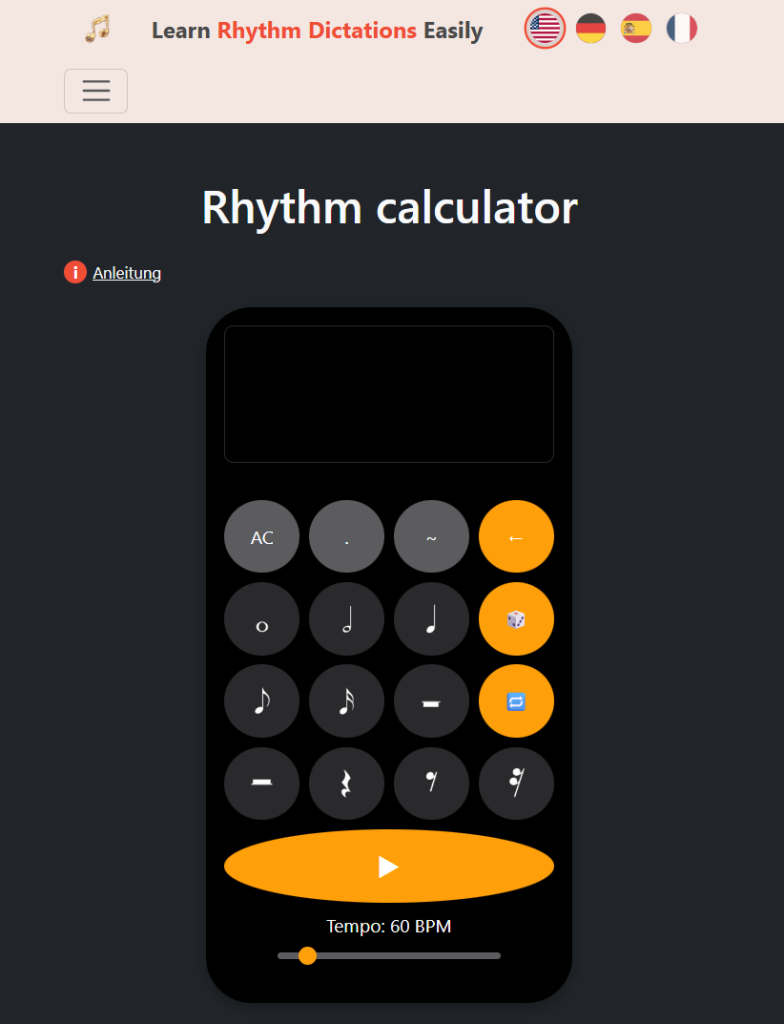
  • Top 7 Rhythm Calculators for Musicians and Music Students in 2025

    Learning to play music with solid timing? It’s tricky, no matter your skill level.

    🎵 Rhythm calculators are digital tools that help you break down beat patterns, convert tempo, and work through timing exercises to sharpen your musical accuracy.

    These online tools make it way easier to handle complex rhythms and tempo jumps. Some focus on tapping out beats to find tempo, while others give you visual feedback or advanced rhythm training.

    You’ll find both simple tempo counters and more in-depth rhythm analysis platforms, all right in your browser.

    1. Rhythm Calculator by Rhythm Dictation

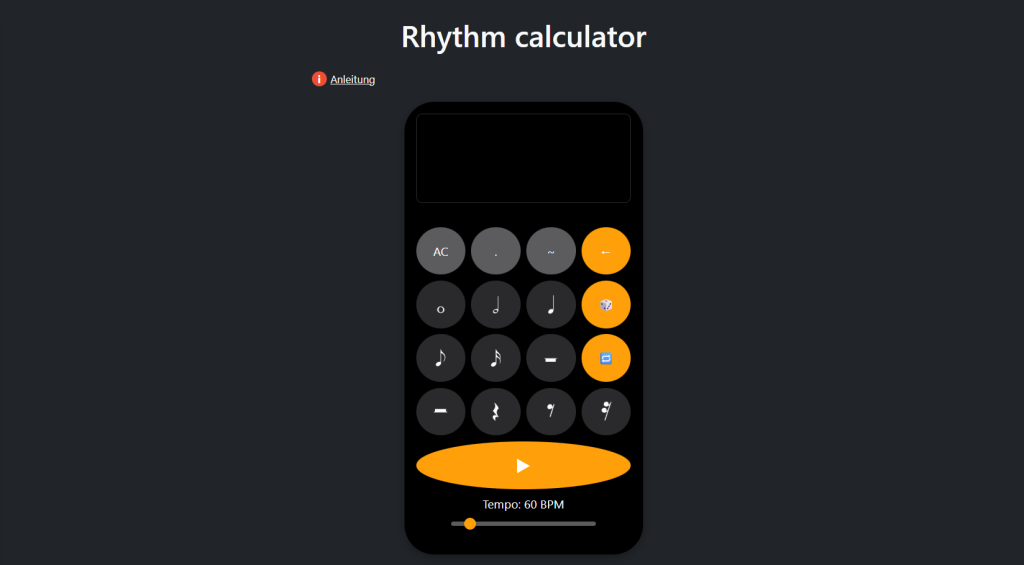
    The Rhythm Calculator from Rhythm Dictation stands out as the most versatile and user-friendly tool for musicians and students.

    It’s designed for quick, accurate rhythm calculations, letting you input your tempo and instantly see note durations for any subdivision.

    What’s great here? You can switch between different time signatures, experiment with dotted notes, triplets, and even polyrhythms. The interface is clean and responsive, so you’re not bogged down by clutter or ads.

    Whether you’re practicing tricky passages, programming a drum machine, or syncing tracks in your DAW, it just works. I wish this had existed when I started learning music theory—it really does take the guesswork out of rhythm math.

    It’s completely free and doesn’t require registration. If you need a rhythm calculator that’s both accurate and pleasant to use, this is the one.

    👉 Try it now (free)

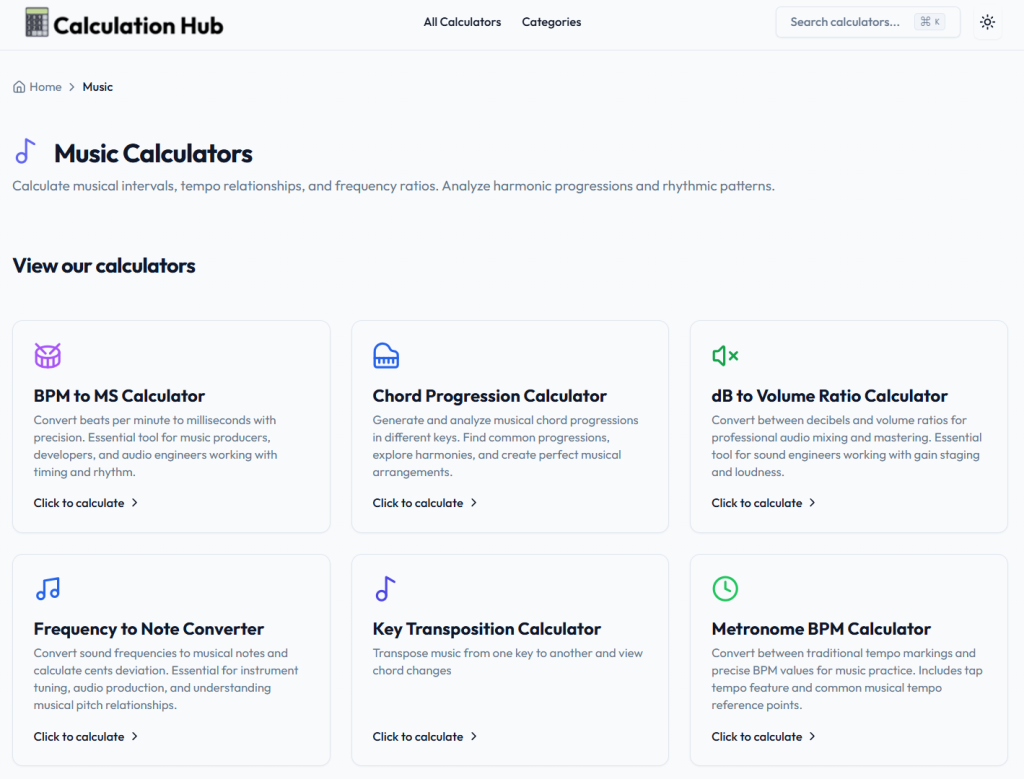
    2. BPM to MS Calculator by Calculation Hub

    The BPM to MS Calculator by Calculation Hub is all about precision. It converts beats per minute to milliseconds, targeting music producers, developers, and engineers who need exact timing.

    Just type in your BPM, and you get the corresponding millisecond duration for quarter notes. No fuss, no distractions.

    It’s especially handy for syncing audio elements or setting delay times. Manual calculations? Forget it—this tool’s got your back.

    It covers any BPM range, from slow ballads to fast electronic tracks. The results are accurate and meet pro standards.

    3. Tap BPM – Online Beats Per Minute Counter

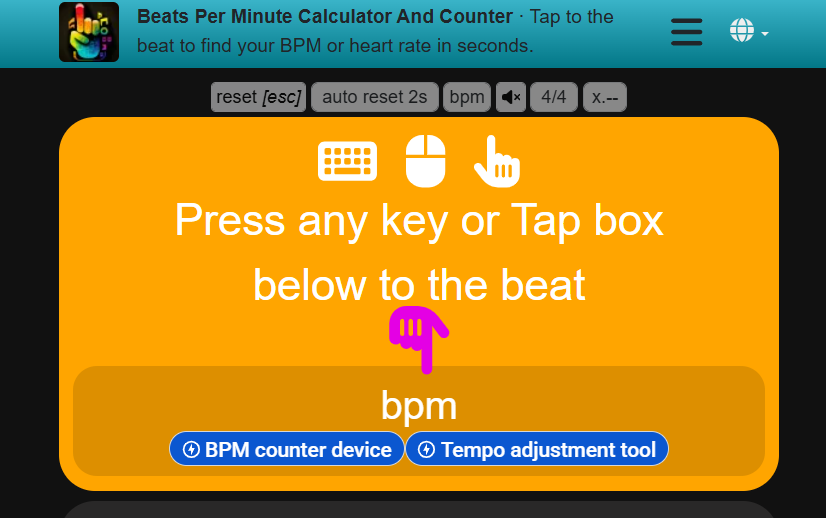
    Tap BPM – Online Beats Per Minute Counter is about as straightforward as it gets. Tap any key to the beat, and you’ll see the BPM pop up in real time.

    It has a lot of ads though! 👇

    No need to wait a full minute—just a few taps and you’ve got your tempo. It works on any device, no downloads or accounts needed.

    The interface is minimal and updates instantly as you tap. DJs, producers, and musicians use it for quick tempo checks or syncing tracks.

    It’s free, fast, and always at your fingertips when you need it.

    4. True Geometry’s Tempo-Based Rhythmic Analysis Tools

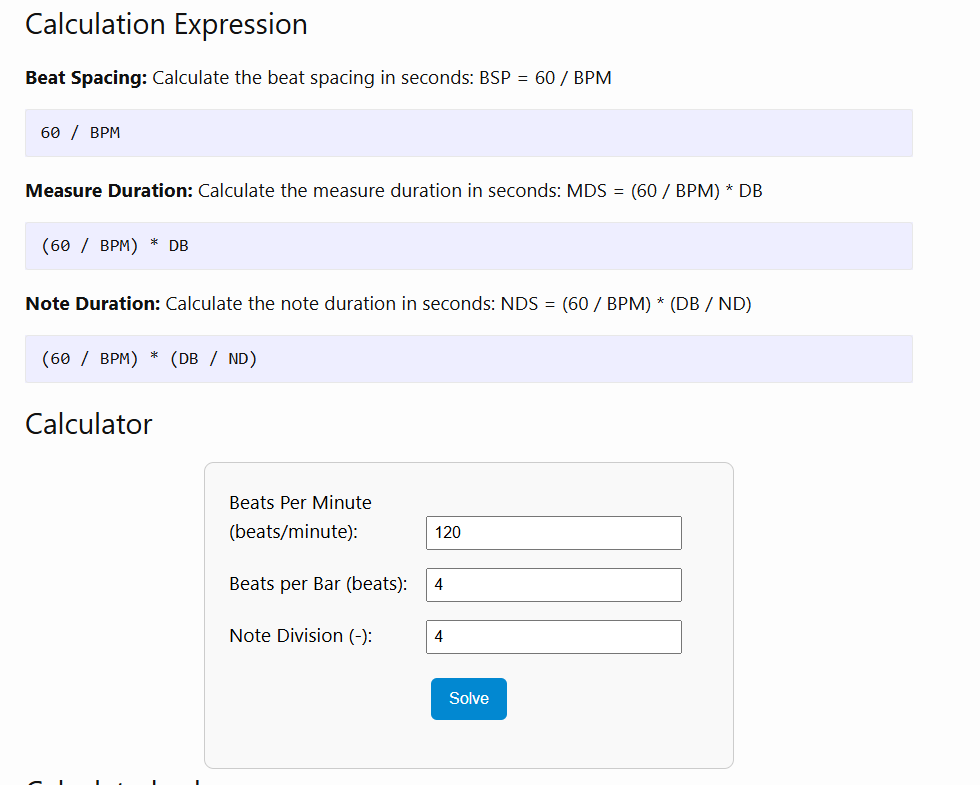
    True Geometry’s tempo-based rhythmic analysis calculator handles rhythm and timing calculations for both production and theory.

    You can figure out beat spacing, measure duration, and note lengths based on your tempo and time signature. It’s especially useful for those who want to dig into complex rhythmic patterns or analyze compound meters.

    The platform also offers additional rhythm tools for music theory analysis. Want to experiment with odd time signatures or triplets? Go for it.

    There’s even a pattern duration calculator so you can work out how long a rhythmic phrase lasts at any tempo. The math is solid, and the results are precise.

    5. Reading Rhythms Activity by Phil and David Tulga

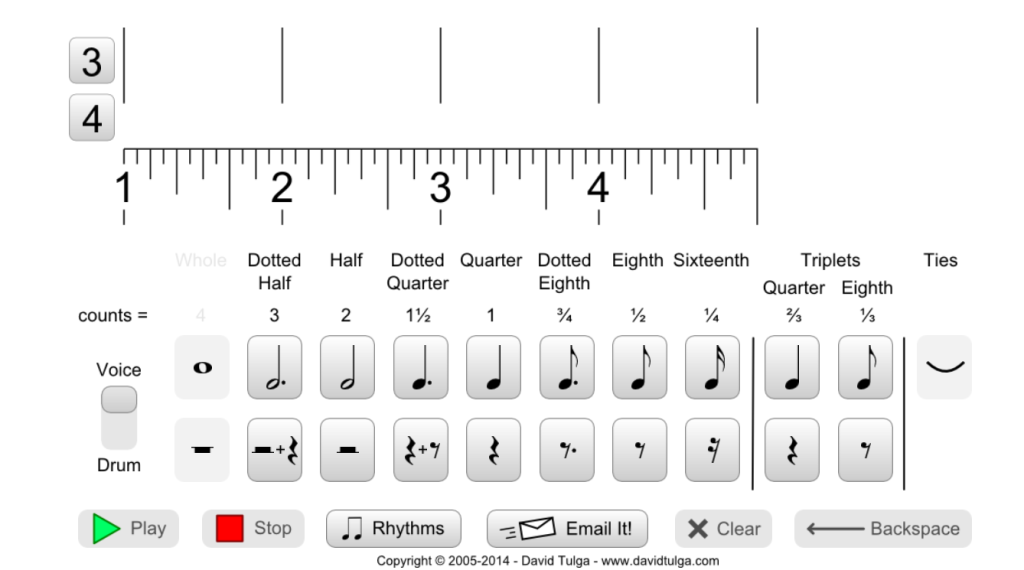
    The Reading Rhythms – Counting Music activity blends rhythm practice with math. You’ll see how note values connect to fractions—surprisingly helpful.

    There’s a PDF with 119 rhythm sets, starting simple and working up to more complex patterns with triplets and sixteenths.

    Switch between rhythm sets with the “Rhythms” button, then pick your challenge. It covers a bunch of time signatures, so you’re not stuck in 4/4 land.

    Honestly, it’s a great way to build up your rhythm reading chops, one exercise at a time.

    6. Rhythm Randomizer Open-Source Tool on GitHub

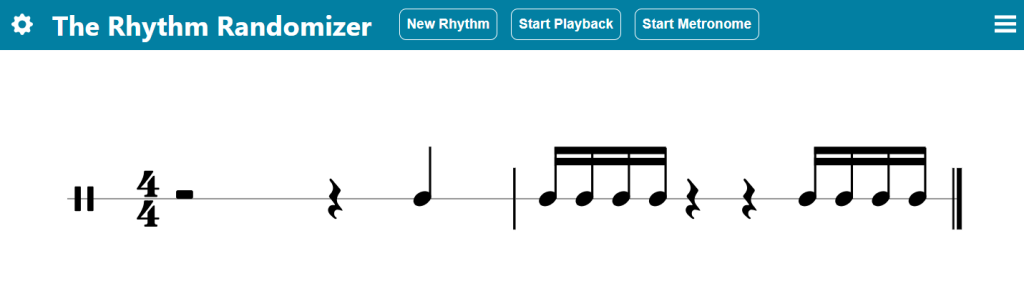
    Rhythm Randomizer is a free web app that spits out random rhythm patterns for sight-reading. No downloads, no hassle—just open it up and go.

    Pick how many measures you want (1, 2, 4, or 8), set your time signature, and choose the note values you want to practice. It adapts to your level, whether you’re a beginner or a pro.

    It’s open-source (check out the code on GitHub), so if you’re into coding, you can contribute or tweak it yourself.

    The project’s community-driven, with updates and new features rolling out as people pitch in. A great practice tool with a bit of a DIY vibe.

    7. Music Calculators at Calculator.now

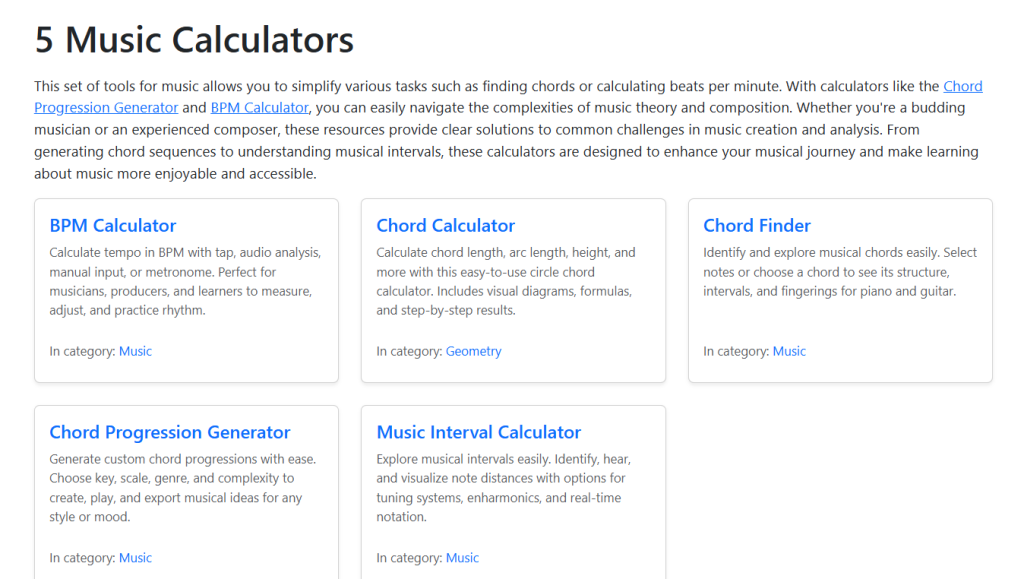
    Calculator.now has a bunch of music calculators for everyday musical tasks. There’s a BPM Calculator where you can tap tempo, upload audio, or just type in numbers.

    They also offer music theory calculators for figuring out chords and intervals. The Chord Progression Generator is handy if you’re stuck composing.

    Everything’s interactive and designed for musicians, DJs, and producers. It’s a solid, practical toolbox for getting things done without overthinking it.

    8. GetSongBPM Rhythm Tools

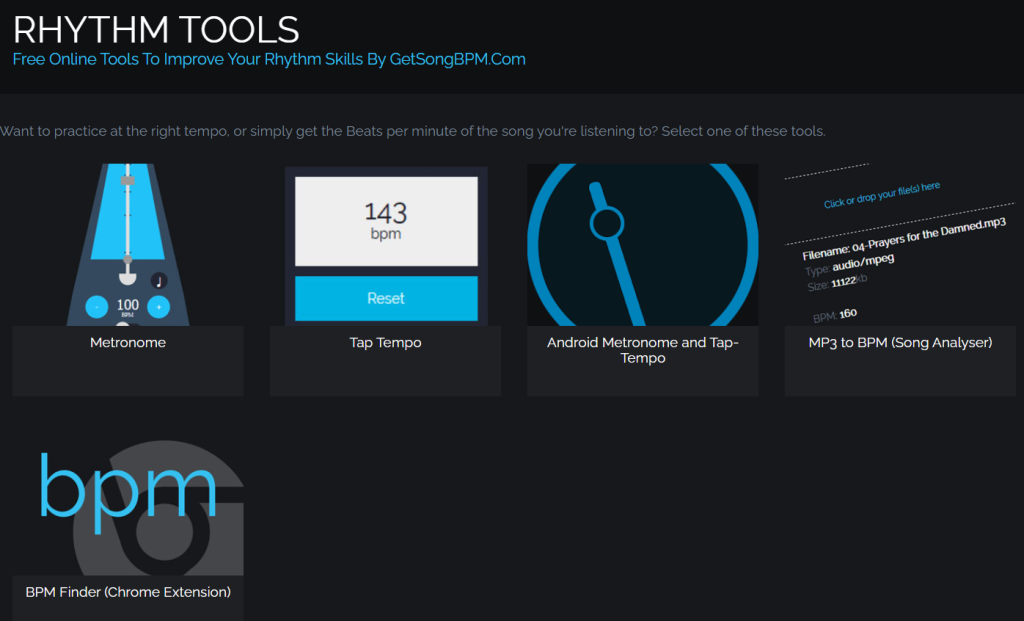
    GetSongBPM has rhythm tools that help you nail down tempo or check the BPM of any song. Upload an audio file, and it’ll analyze and spit out the BPM in seconds.

    The database is huge—millions of songs—so you can also look up key and tempo info for tracks you’re working with. The interface is dead simple, no tech skills required.

    It’s popular with musicians, DJs, and producers who need quick, accurate tempo analysis. You don’t even have to create an account to get started.

    How Rhythm Calculators Work

    Rhythm calculators crunch numbers behind the scenes, converting time into musical note values based on your tempo settings. They handle input like BPM, tap timing, and note subdivisions to spit out accurate rhythm calculations.

    Core Features and Algorithms

    Most rhythm calculators use a simple formula: 60,000 milliseconds divided by your BPM gives you a quarter note’s duration. From there, it’s easy to get other note values.

    Example: At 120 BPM, each quarter note is 500 milliseconds. Half notes? 1,000 ms. Eighth notes? 250 ms. You get the idea.

    Many calculators include a tap tempo feature, measuring the gap between your taps and averaging them for a stable BPM. Some even handle triplets, dotted notes, and odd time signatures.

    BPM to milliseconds conversion is a lifesaver for syncing software or programming effects. The more advanced ones dig into polyrhythms and compound meters too.

    Types of Input Data Supported

    You can enter data in all sorts of ways. Manual BPM entry is great if you already know your tempo.

    Tap input works by pressing a key or button in rhythm. Tools like Cadence let you tap evenly, then tap out tricky rhythms you want to analyze.

    Time signature settings help the calculator know if you’re in 4/4, 3/4, or something weirder. Note division options let you break things down to sixteenths, thirty-seconds, or even finer.

    Some calculators accept audio input so you can play along, and a few support MIDI input for more detailed rhythm analysis.

    Benefits of Using a Rhythm Calculator

    Rhythm calculators take the guesswork out of timing and make learning music way less stressful. They’re precise, and they save you a ton of time.

    Accuracy in Musical Analysis

    Rhythm calculators help you nail down exact timing based on tempo and note divisions. No more relying on feel alone.

    Complex rhythms or odd time signatures? These tools break them down into bite-sized pieces, so you can see exactly where each note lands.

    • Pinpoint BPM calculations
    • Exact note durations
    • Clear subdivisions
    • Consistent tempo references

    Converting BPM to milliseconds is crucial for syncing tracks or programming sequences. The precision helps you understand how rhythms fit together in any time signature.

    Time-Saving for Musicians and Educators

    Rhythm Calculator is hands down the best tool for cracking tricky rhythms fast. You just type in what you see, and bam—it plays it back right away.

    No more endless guessing or second-guessing yourself. It’s a game changer for anyone who’s tired of trial and error.

    Music teachers can pull this up during lessons to show tough rhythms on the spot. Instead of clapping out the same thing over and over, you just enter it once and replay as much as you need.

    Time-saving features:

    • Instant rhythm playback
    • Quick pattern entry
    • Immediate audio feedback
    • Easy pattern comparison

    Other tools, like calculator-style rhythm apps, let you punch in rhythms and hear what they sound like. It feels pretty intuitive, honestly.

    Or, if you’re into transcription, Cadence lets you tap out rhythms on your keyboard to match what you’re hearing. The app figures out the pattern for you.

    Instead of sweating over a single measure for an hour, you get results in minutes. Why waste time counting when you could be playing?

    Try it now: 👇

    🎵 Link: https://rhythmdictation.com/rhythm-calculator/

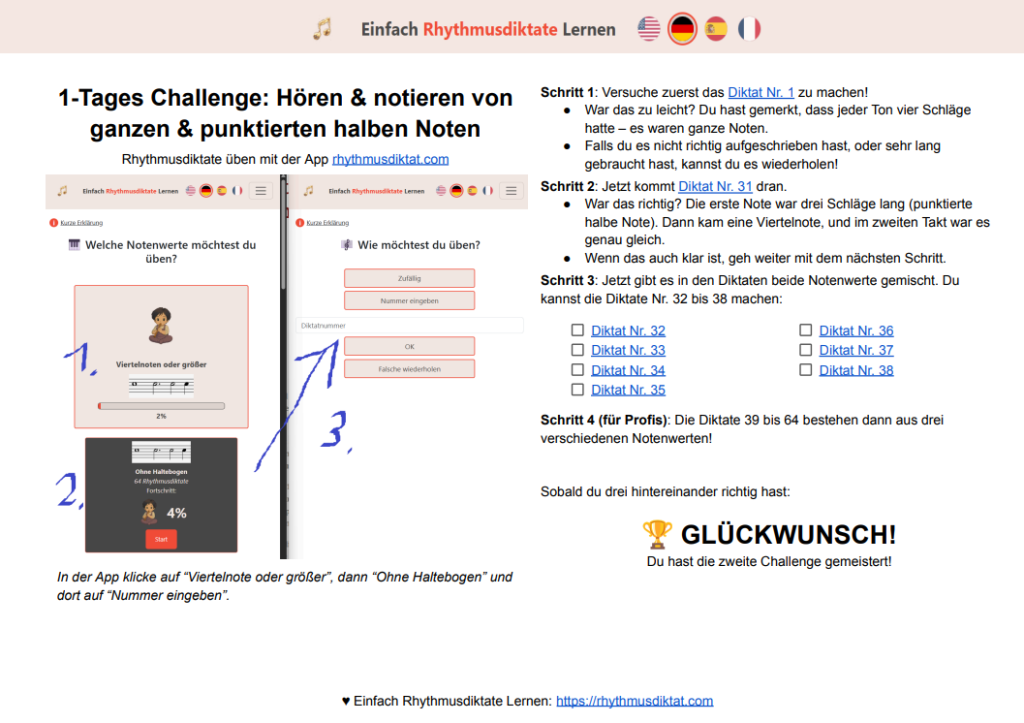
  • Die Rhythmusdiktat Ein-Tages-Challenges 🎯

    Dein Einstieg in sicheres Hören, Zählen und Notieren – in kleinen, knackigen Einheiten.

    Kennst du das? Du nimmst dir vor, „endlich mehr Gehörbildung“ zu machen… und dann passiert: nichts. Genau dafür sind diese Mini-Challenges da. Sie sind kurz, konkret und machen sofort hörbar (und sichtbar) Fortschritte.

    💾 Dieser Sammel-Artikel verlinkt alle aktuellen und künftigen Challenges – speicher dir die Seite, wenn du regelmäßig trainieren möchtest.


    Warum diese Challenges?

    • Klarer Fokus: Jede Challenge trainiert genau einen Baustein (z.B. Viertel vs. Halbe, Ganze vs. punktierte Halbe). So merkst du schnell, woran es hakt – und was schon sitzt.
    • Ultra-konkret: Du bekommst Diktat-Nummern, die du direkt in der App eingibst. Kein Suchen, kein Grübeln – einfach loslegen.
    • Kurz & motivierend: Eine 1-Tages-Challenge – und du hörst den Unterschied. Sobald du drei in Folge richtig hast: 🏆 geschafft!

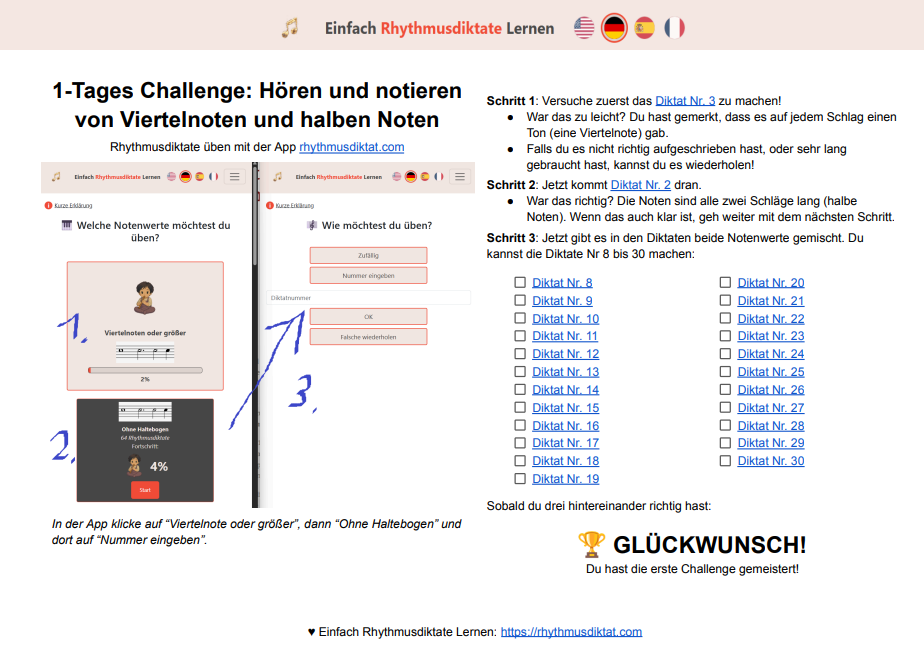
    So startest du: Öffne die App, wähle „Viertelnote oder größer“ → „Ohne Haltebogen“ → „Nummer eingeben“ – dann die passende Diktat-Nummer eintippen.


    Challenge 1: Viertel ↔ Halbe sicher unterscheiden

    Ziel: Hören und notieren von Viertelnoten und Halben.
    Ablauf:

    • Warm-up mit Diktat Nr. 3 (reine Viertel) → dann Nr. 2 (reine Halbe).
    • Mix-Phase mit Nr. 8–30.
      Du hast’s drauf, wenn: 3 Diktate in Folge korrekt sind.

    ➡️ Zur Challenge


    Challenge 2: Ganze & punktierte Halbe souverän notieren

    Ziel: Hören und notieren von Ganzen und punktierten Halben.
    Ablauf:

    • Einstieg mit Diktat Nr. 1 (Ganze), dann Nr. 31 (punktierte Halbe + Viertel).
    • Mix-Phase mit Nr. 32–38, für Profis weiter mit Nr. 39–64.
      Du hast’s drauf, wenn: 3 Diktate in Folge korrekt sind.

    ➡️ Zur Challenge


    So nutzt du die Sammlung

    1. Starte oben bei Challenge 1 und arbeite dich nach unten.
    2. Notiere konsequent, nicht nur im Kopf „mitraten“.
    3. Wiederhole schnell, wenn du unsicher warst – der Lerneffekt passiert genau dort.

    Was kommt als Nächstes?

    Hier landen nach und nach weitere Mini-Challenges (z.B. Pausen, Synkopen, Bindebögen, Triolen …). Check regelmäßig rein!


    Direkt loslegen

    • App öffnen„Viertelnote oder größer“ → „Ohne Haltebogen“ → „Nummer eingeben“.
    • Dann die Diktat-Nummern aus der jeweiligen Challenge eintippen – fertig.

    Viel Spaß beim Trainieren! 🥁✨

  • Easy App to Learn Rhythm Dictations (First Steps)

    In this video, we’ll walk you through practicing with the rhythmdictation.com app.

    We’ll start with the first set of dictations, where the note values are 1, 2, 3, or 4 beats long.

    💡Info: If you’re not sure what rhythm, meter, or note values mean, you might want to watch the video with Music Theory Basics first.

    This first group has 128 dictations—totally free, no registration needed. They’re all in 4/4 time, two measures each, played four times, with four preparatory beats so you can catch the tempo.

    Key Takeaways

    • The rhythmusdictat.com app gives you free rhythm dictation practice—128 exercises in the first group.
    • Each dictation is in 4/4, two measures, played four times, and starts with four count-in beats.
    • You can tweak speed settings and keep track of your progress by marking answers right or wrong.

    Getting Started with the App

    Accessing the App without Registration

    You don’t need to register to use this app, which is honestly a relief. Just open it and dive in.

    The first 128 dictations are ready to go, no sign-up required. They’re all free, so you can just start practicing.

    Overview of Available Dictations

    We’re starting with dictations where note values are 1, 2, 3, or 4 beats long.

    If you’re still fuzzy on rhythm basics, that Musicory Basics video is a good place to start.

    The dictations in this group have a few things in common:

    • Number of dictations: 128
    • Time signature: 4/4
    • Length: Two measures
    • Playback: Played four times, each with a four-beat count-in

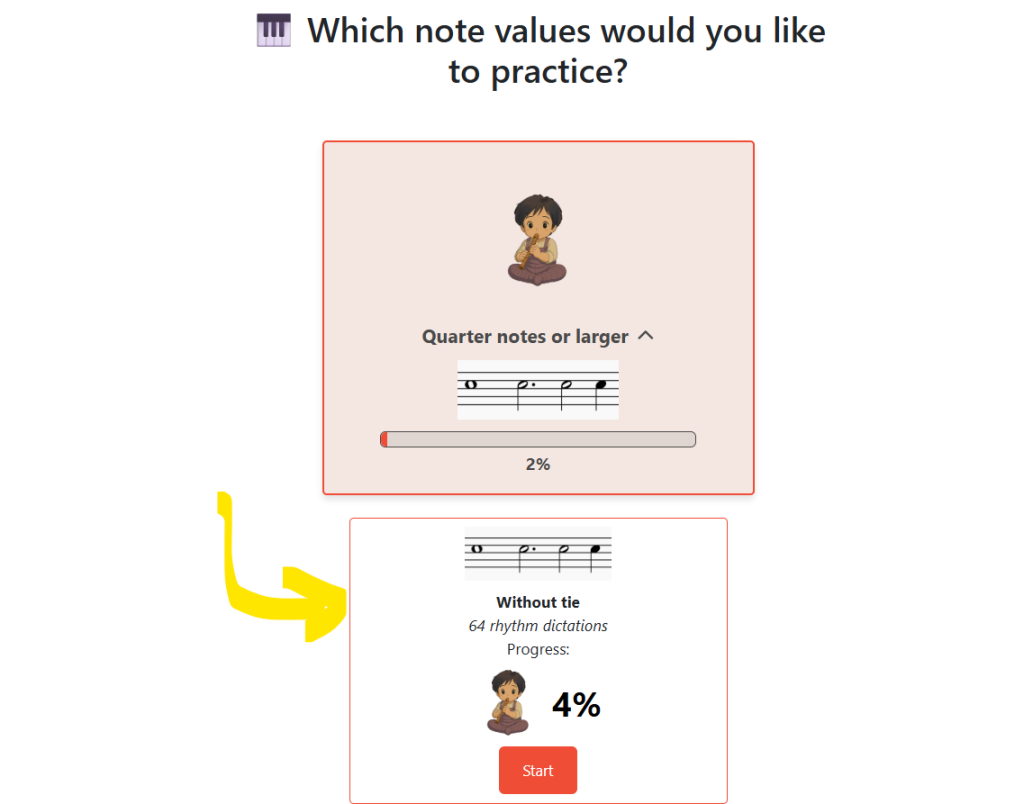
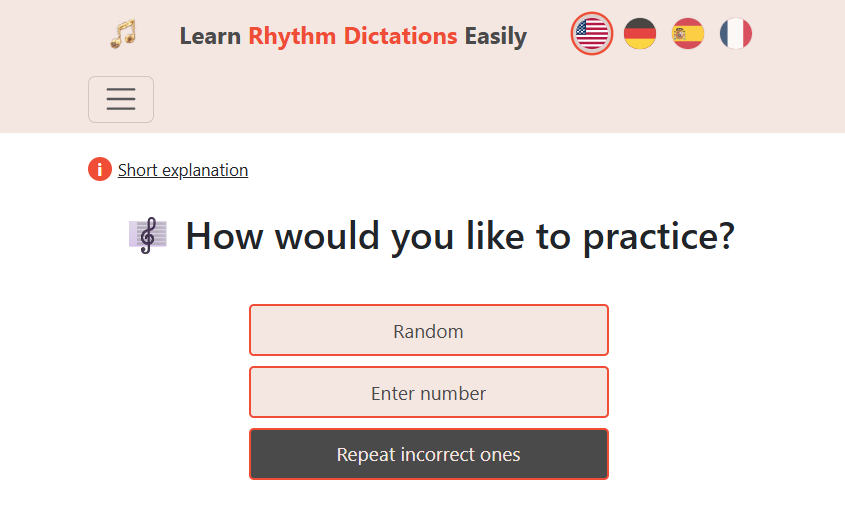
    They’re sorted into categories. Click on “Quarter notes or larger” and pick dictations without ties to start.

    Navigating the App Interface

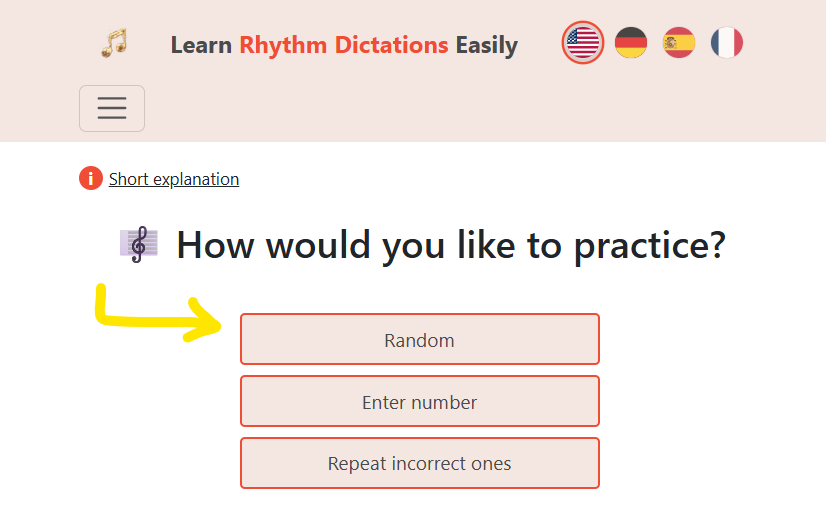
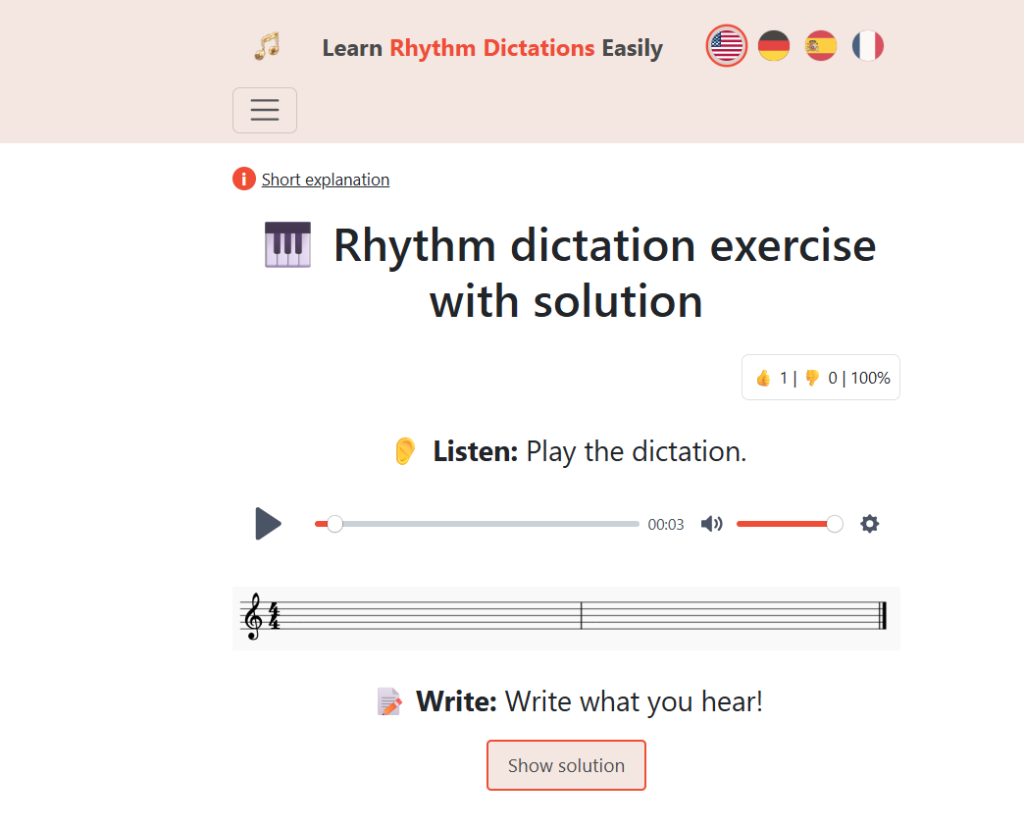
    To start a dictation, hit Start and pick randomly. Listen to the rhythm, then after a brief pause, it’ll play again.

    When you’ve got an idea for the answer, pause and jot it down. Since it’s 4/4, the first four notes might each be a beat. After four, draw a bar line. Maybe the next two are two beats each—add a double bar at the end.

    You get a third listen, again with the four-beat lead-in. When you’re ready, reveal the solution. If you nailed it, hit “correct”.

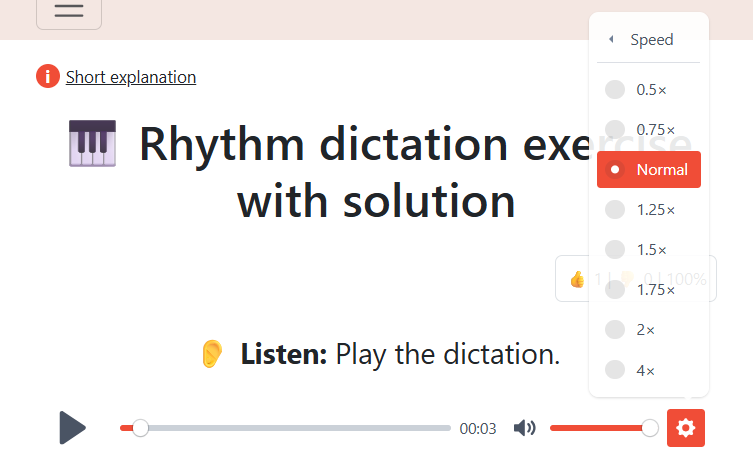
    Speed Control: Need a slower tempo? Click the gear, then Speed, and adjust it down.

    Wrong Answers: If you got it wrong, click “wrong”. Later, under Home after Start, you can choose “repeat wrong ones” and try again.

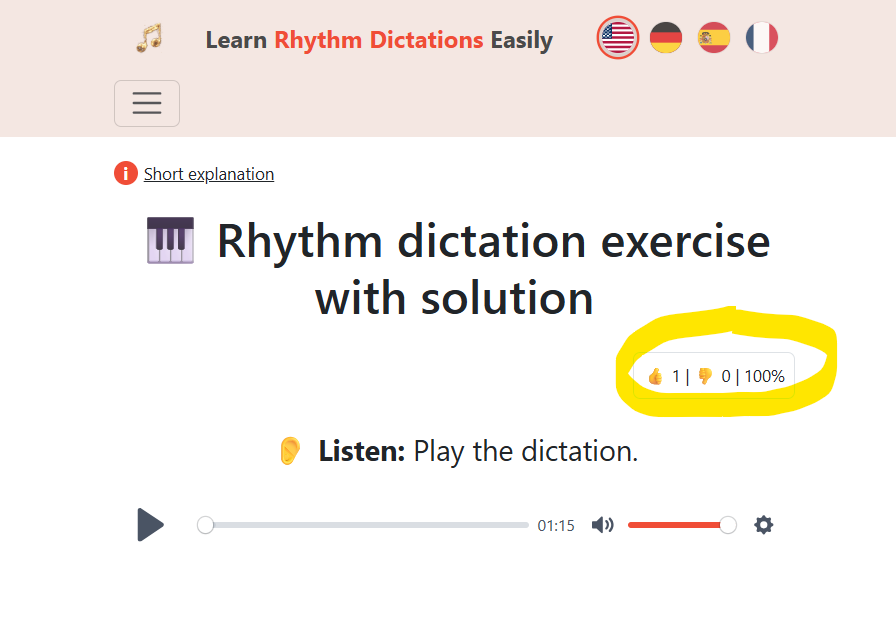
    Progress Tracking: When you mark dictations correct, the counter in the upper right under “Solution” updates to show your progress.

    ActionResult
    Click “Correct”Counter updates under “Solution”
    Click “Wrong”Dictation saves to review list
    Go to “Home” → “Repeat Wrong”Practice missed dictations again

    Review System:

    I use the wrong answer feature to build my own review list. When you mark one as wrong, it goes to your review section. Under Home, after Start, pick “Repeat Wrong” to go over them again.

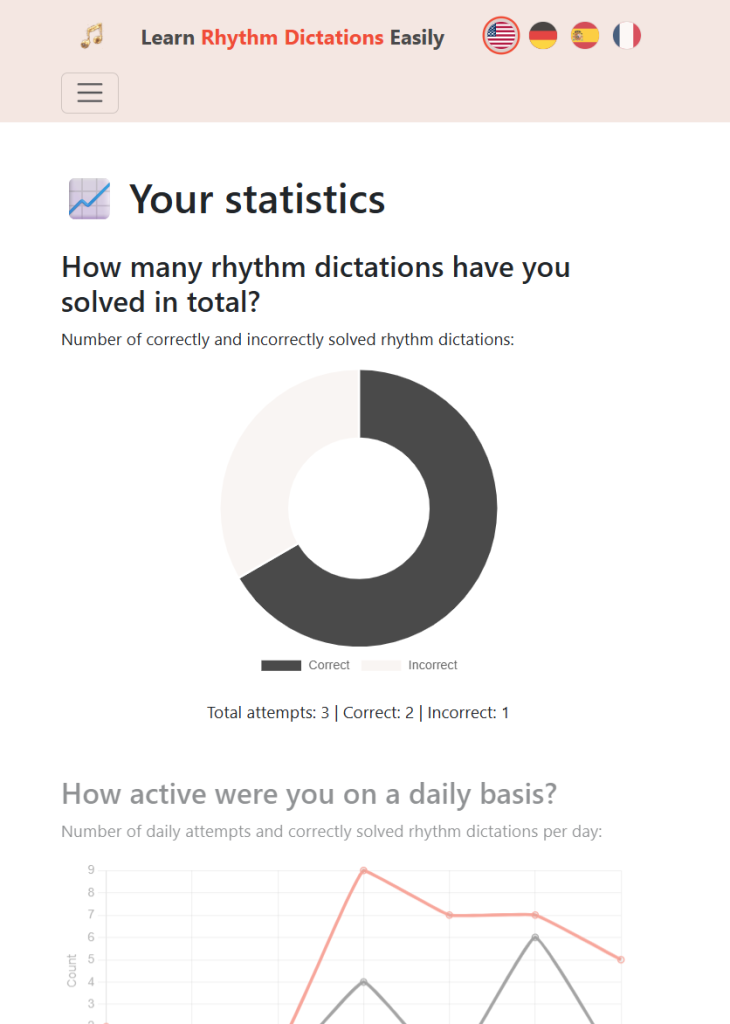
    You can also check out your personalized music statistics here:

    That’s a quick overview – we have much more features and dictations to keep you busy learning and improving your rhythm dictation skills easily and efficiently.

    👉 Try the app now